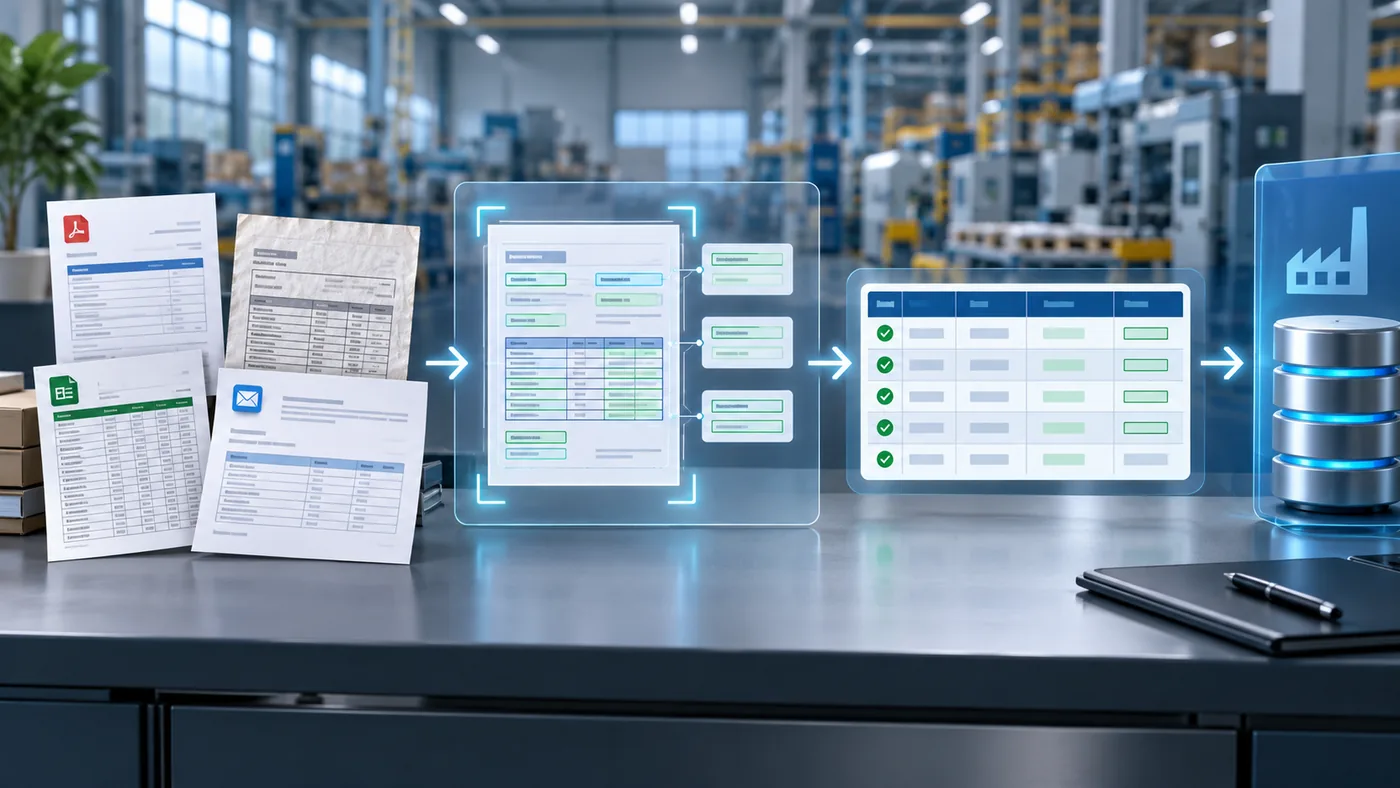
Capturing data from a customer purchase order is only the beginning of automated order entry. Before that data becomes a sales order in the ERP, the business must confirm that the document is complete, the customer and products are correctly identified, the commercial terms are acceptable, and the order is not a duplicate.
Purchase order validation is the controlled process that performs those checks. It separates readable data from usable order data and prevents uncertain values from moving silently into production, inventory, shipping, and invoicing workflows.
For manufacturers and distributors, an effective validation process should move clean orders quickly while giving employees a clear review task when something requires judgment.
What is purchase order validation?
Purchase order validation checks an incoming customer PO against required fields, ERP master data, commercial rules, and existing transactions before a sales order is created or released.
It may include:
- Confirming that the document is a customer order
- Checking that required header and line fields are present
- Detecting duplicate or revised purchase orders
- Matching the customer and delivery location
- Mapping customer item numbers to ERP products
- Validating quantities and units
- Comparing prices, currencies, discounts, and terms
- Interpreting requested delivery dates
- Applying customer-specific business rules
- Routing failed checks for human review
Validation is different from extraction. Extraction answers, “What does the document say?” Validation answers, “Can this information safely become an ERP order?”
The purchase order data extraction guide explains the capture stage that comes before validation.
Start with document-level checks
Before validating individual fields, confirm that the document can be treated as an order.
Document type
A shared inbox can contain purchase orders, quotations, order confirmations, cancellations, invoices, delivery instructions, and unrelated attachments. The workflow should identify the document type before attempting sales order creation.
An uncertain document should enter a classification review rather than being forced into the order process.
Completeness
Check whether all expected pages and attachments are present. A purchase order may reference a continuation page, schedule, drawing, or spreadsheet that contains line details.
Useful completeness checks include:
- At least one identifiable order line
- A customer or buying organization
- A purchase-order reference
- Quantities for each line
- Product references or descriptions
- Required delivery details
- No missing page sequence when page numbers are present
Readability
Unreadable scans, damaged files, password-protected documents, and low-quality images should not produce guessed order data. The reviewer should see the source document beside any uncertain value.
Detect duplicates and revisions early
Duplicate and revision prevention should happen before an ERP sales order is created.
The same PO can arrive more than once because the customer:
- Resends the original message
- Copies several order addresses
- Sends the order through both email and a portal
- Forwards the attachment in a new thread
- Issues a corrected version with the same PO number
- Sends a reminder without marking it as a duplicate
Compare more than the filename. Useful signals include:
- Customer account
- Purchase-order number
- Order date
- Attachment fingerprint
- Line items and quantities
- Email thread identifier
- Existing ERP sales order reference
A match should produce context, not an automatic rejection. The workflow must determine whether the message is a duplicate, a revision, or a valid new order.
Revisions need a controlled path that preserves the original document, identifies changed fields, and follows the company’s order-change policy.
Validate the customer and order identity
Customer identification affects pricing, shipping, taxes, product mappings, and sales reporting. A name printed on the PO may not match the legal account name stored in the ERP.
Check:
- Sold-to account
- Bill-to account when applicable
- Ship-to location
- Customer status
- Sales organization or business unit
- Currency
- Customer contact or sender domain
- Required buyer or department reference
Do not rely on sender address alone. Orders may be sent by a procurement platform, shared service center, agent, or third-party buyer.
When several accounts could match, the workflow should present the candidates and the evidence used for the proposed match.
Validate addresses and delivery locations
Delivery addresses often contain abbreviations, alternate formatting, or site names that differ from ERP master data.
Validation should determine whether the address:
- Matches an approved ship-to record
- Represents a new location
- Is inactive or restricted
- Requires special routing
- Conflicts with the address used for the customer’s normal orders
- Includes enough information for fulfillment
Match customer products to ERP items
A customer PO may contain its own part number, a manufacturer number, a description, or a previous-order reference. The ERP may store a different internal item number.
Product validation can use:
- Approved customer-item mappings
- Customer-specific catalogs
- Manufacturer part numbers
- Descriptions
- Historical approved orders
- Product status
- Sales restrictions
The process should distinguish between a confident approved mapping and a suggested match that needs review.
Do not reuse a mapping across customers unless the rule is intentionally global. The same customer code can refer to different products in different buying organizations.
The order entry mapping guide covers customer, item, unit, address, and pricing relationships in more detail.
Check quantities, units, and packaging
A correct product match can still create the wrong order if the quantity or unit is misunderstood.
Common differences include:
- Each versus case
- Box versus pallet
- Feet versus meters
- Pounds versus kilograms
- Customer pack versus ERP base unit
- Decimal quantities versus whole packages
Validation should check:
- Quantity is present and numeric
- Unit is recognized
- Conversion is approved
- Quantity meets packaging rules
- Minimum or multiple requirements are satisfied
- Decimal precision is allowed
- Converted quantity is reasonable for the item and customer
Unit conversions should come from maintained business data. They should not be inferred from description text when the result affects fulfillment.
Validate prices and commercial terms
A price mismatch does not always mean the PO is wrong. The applicable ERP price may be outdated, the customer may reference a quote, or the document may include an approved special agreement.
Compare:
- Unit price
- Extended line amount
- Currency
- Discount
- Freight terms
- Payment terms
- Quote or contract reference
- Effective dates
- Customer-specific allowances
When a variance is detected, show the PO value, expected value, difference, and source of the expected value.
The resolution action should follow company policy. Depending on role and threshold, an employee may correct the order, accept the customer value, apply an approved quote, or escalate to sales.
Avoid automatically accepting a price merely because it appears clearly on the document. Extraction confidence does not establish commercial validity.
Check dates and fulfillment requirements
Customers may use several dates on a purchase order:
- PO date
- Requested ship date
- Requested delivery date
- Cancel date
- Schedule date by line
- Not-before date
The workflow must identify the meaning of each date rather than treating every date as requested delivery.
Validation may include:
- Date format is unambiguous
- Requested date is not in the past
- Lead-time rules are met
- Line dates are consistent with header dates
- Shipping cutoffs are considered
- Weekend and holiday rules are applied
- Customer-specific scheduling instructions are present
Whether an order can actually be fulfilled may require inventory, production, or transportation logic beyond document validation. When that decision belongs to planning, route it to the correct owner instead of inventing an availability promise.
Apply customer-specific and company rules
Generic validation is not enough for every account. Some customers require contract numbers, store identifiers, project references, labels, routing codes, or specific delivery instructions.
Rules may depend on:
- Customer
- Ship-to location
- Product family
- Order value
- Sales organization
- Document channel
- Delivery method
- Contract or quote
- Regulatory or export requirements
Keep these rules visible and maintainable. Hidden logic that only one employee understands cannot support a reliable automated process.
Each rule should have an owner, a clear failure message, and a defined resolution action.
Separate confidence checks from business validation
Document-processing systems may assign confidence to captured values. That is useful, but confidence and business validity are different.
A field can be:
- Read with high confidence but commercially wrong
- Read with low confidence but confirmed by ERP data
- Correctly extracted but mapped to the wrong account
- Valid for one customer but invalid for another
Use confidence to decide when a value needs visual confirmation. Use ERP data and business rules to decide whether the value is acceptable.
This distinction prevents teams from treating accurate text recognition as completed order automation.
Define validation outcomes
Each order or field should end in a clear state.
Practical outcomes include:
- Passed: all required rules succeeded
- Passed with warning: non-blocking condition recorded
- Review required: a person must confirm or correct a value
- Waiting for customer: required information is missing
- Waiting for master data: a mapping or record requires approval
- Rejected: document is not a valid order or violates a blocking rule
- Technical failure: validation or ERP communication could not complete
Do not combine business exceptions with technical failures. They have different owners and response procedures.
For a detailed operating model, see the sales order exception handling guide.
Give reviewers the evidence they need
A validation queue should not force employees to reconstruct the order from an inbox and several ERP screens.
For each failed check, show:
- Original PO and email context
- Captured value
- Matched ERP record
- Failed rule
- Expected value or allowed range
- Affected line
- Current owner
- Permitted actions
- Prior decisions and timestamps
Structured resolution choices improve reporting. Free-text notes can add context, but they should not be the only record of why a rule was overridden.
Measure validation performance
Track sales order automation KPIs that show both speed and control:
- Percentage of orders passing without review
- Validation failures by rule
- Review time by exception type
- Repeat failures by customer
- Missing mapping rate
- Price variance frequency
- Duplicate and revision rate
- Percentage waiting for customer information
- Orders corrected after ERP creation
- Age of the oldest unresolved order
Use the results to improve master data, customer instructions, mappings, and rules. The aim is not to hide exceptions but to reduce preventable ones.
A practical implementation checklist
Before automating purchase order validation:
- Document the required ERP fields.
- List current manual checks and their owners.
- Define duplicate and revision handling.
- Identify customer-specific requirements.
- Confirm approved item and unit mappings.
- Document price and variance authority.
- Separate warnings from blocking rules.
- Define exception categories and routing.
- Preserve the source-to-ERP audit trail.
- Test clean orders, difficult orders, and technical failures.
- Start with reviewed ERP drafts.
- Expand straight-through processing only when evidence supports it.
If orders arrive mainly through email, the email order automation guide explains how intake, attachments, classification, and validation fit together.
Validation is the control layer of order automation
Purchase order validation turns extracted document data into controlled ERP input.
It confirms that the customer, products, quantities, units, prices, dates, and references make sense for the business. It also detects duplicates, separates uncertainty from technical failure, and provides employees with a clear resolution path.
That control layer allows manufacturers and distributors to automate repetitive order entry while keeping commercial and operational decisions visible.