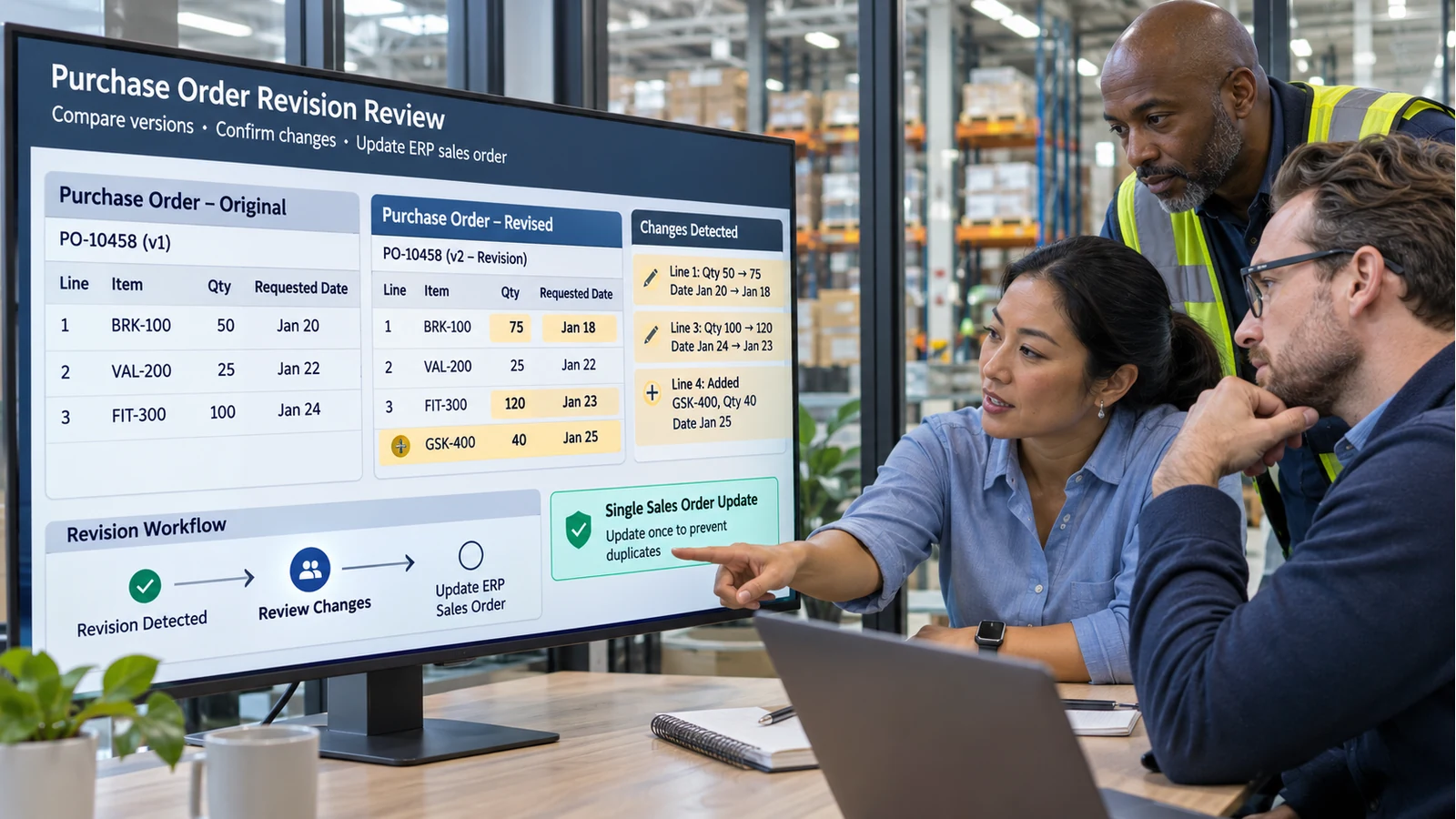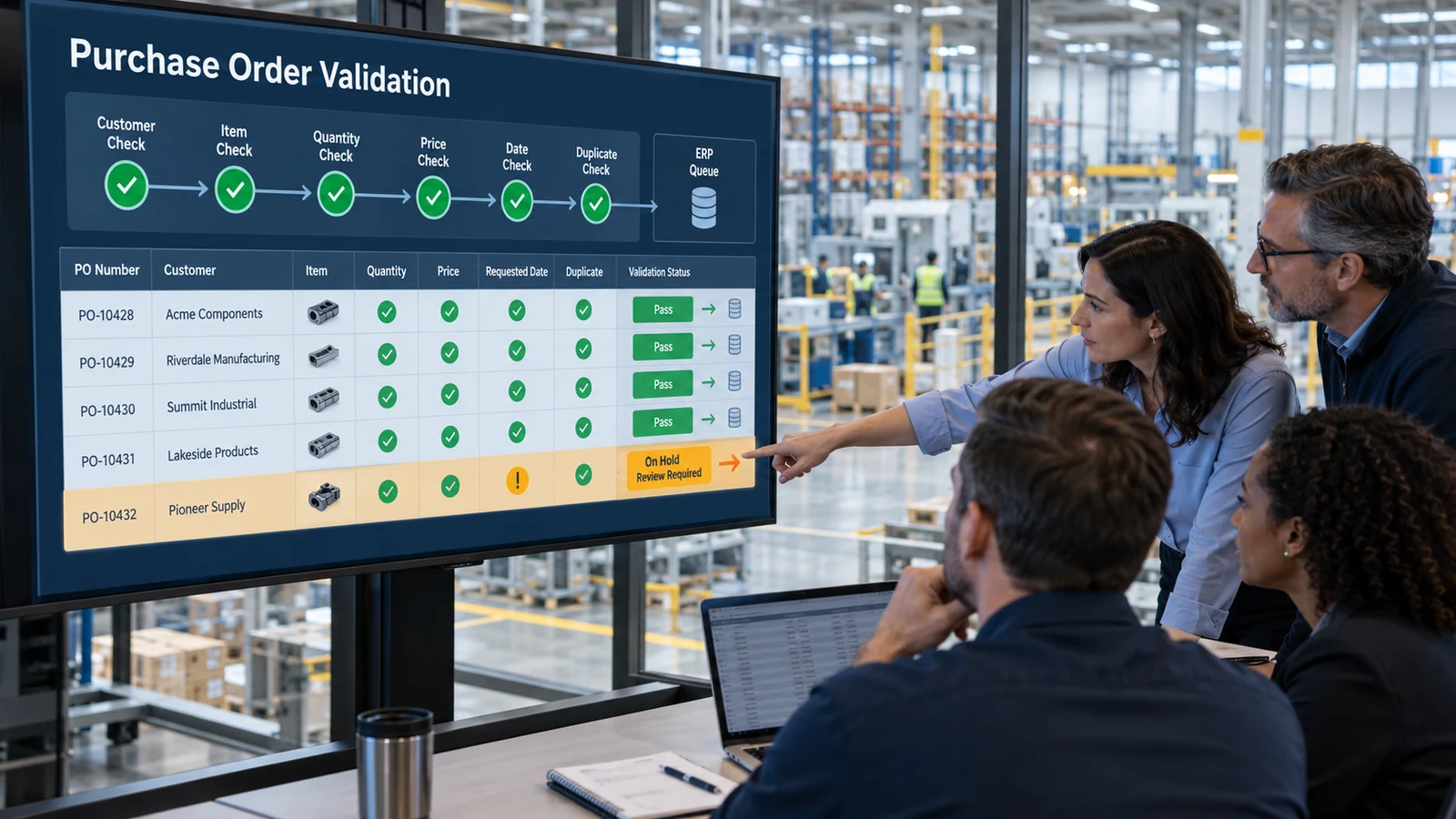
Order entry automation is easy to describe: capture incoming customer purchase orders, validate the data, and create sales orders in the ERP with less manual work.
The business case is more demanding. Leaders need to know where value will come from, which costs belong in the calculation, how risk should be treated, and what a pilot must prove before the project expands.
A useful order entry automation ROI model starts with the current process. It measures the time and cost of manual entry, but it also includes exception handling, corrections, delays, and the operational impact of errors. The result should be a transparent model that finance, operations, customer service, and IT can challenge and update.
What does order entry automation ROI measure?
Return on investment compares the financial value created by the automation with the full cost of implementing and operating it.
A basic formula is:
ROI = (Total benefits − Total costs) ÷ Total costs × 100
That formula is simple. Defining credible benefits and costs is the real work.
For order entry automation, the model often includes:
- Labor capacity released from repetitive entry
- Reduced correction and rework
- Faster order availability in the ERP
- Lower backlog during peak periods
- Reduced need for temporary or overtime capacity
- Better use of customer service and sales operations expertise
- Implementation, integration, licensing, and support costs
Avoid turning every possible improvement into money immediately. Some benefits are measurable in dollars. Others are better tracked as service, quality, or risk indicators until enough evidence exists.
Start with a current-state baseline
The business case should describe how orders are processed today before estimating what will improve.
Measure a representative period and separate results by customer, document format, order size, and exception type.
Order volume
Record:
- Orders received per day, week, and month
- Seasonal peaks
- Average and maximum line count
- Percentage received by email, portal, EDI, spreadsheet, PDF, or scan
- Percentage already processed without manual entry
Only the orders that enter the targeted workflow should be included in the initial benefit model.
Processing time
Measure active employee time rather than the total elapsed time an order spends waiting in an inbox.
Active work can include:
- Opening and classifying the email
- Finding the correct customer
- Reading header data
- Entering line items
- Mapping customer product numbers
- Checking quantities and units
- Verifying prices and addresses
- Resolving unclear information
- Reviewing the ERP draft
- Filing or attaching the source document
Use actual samples when possible. Employee estimates are helpful, but direct observation usually reveals steps that are easy to forget.
Exception and correction rates
Separate normal entry from exception work.
Track how often employees must resolve:
- Unknown customer or ship-to location
- Unmapped customer item
- Invalid or unexpected unit
- Price mismatch
- Duplicate purchase order
- Missing customer reference
- Unclear requested date
- Incomplete or unreadable document
Also record errors found after order creation. Those corrections may involve customer service, warehouse, production, freight, invoicing, or the customer.
Labor cost
Calculate a loaded labor rate that reflects the cost basis your finance team uses. Apply it to active processing and correction time.
The current monthly entry cost can be modeled as:
Monthly entry cost = Order volume × Average active minutes per order ÷ 60 × Loaded hourly rate
Calculate exception work separately if it has a different average time or involves different roles.
Model the automation scenario
The future-state model should distinguish orders that can proceed cleanly from orders that still require a person.
Straight-through orders
These are orders that meet the defined requirements for automated processing. Depending on the rollout stage, they may become ERP drafts automatically or proceed through a controlled approval path.
The model should estimate:
- Percentage of orders eligible for automation
- Percentage requiring no field correction
- Review time per clean order
- Percentage that can eventually bypass routine review
Do not assume that every order becomes touchless. A conservative model is more useful than an impressive one that cannot survive a pilot.
Exception orders
Automation does not eliminate exceptions. It changes how employees handle them.
Instead of reading the complete order and entering every field, the reviewer should see the source document, proposed values, failed rule, and required action.
Estimate:
- Expected exception rate
- Average review time
- Percentage requiring customer contact
- Percentage caused by master-data gaps
- Percentage that can be prevented through approved mappings
The order entry mapping guide explains how customer item numbers, units, addresses, and prices connect to ERP master records.
Residual manual orders
Some documents may remain outside the first automation scope because of format, business risk, customer-specific rules, or missing integration support.
Keep those orders in the model. Excluding them makes the forecast look better without changing reality.
Calculate labor capacity released
The benefit should reflect time that can be redirected to valuable work, not automatically assume immediate headcount reduction.
A practical calculation is:
Monthly hours released = Current active hours − Future review and exception hours
Then:
Annual labor capacity value = Monthly hours released × 12 × Loaded hourly rate
Label the benefit correctly:
- Cost reduction when spending will actually decrease
- Cost avoidance when the business avoids adding capacity as volume grows
- Capacity release when employees remain in place and shift to other work
These categories have different financial implications and should not be combined without explanation.
Include correction and rework costs
Manual entry errors can create work far beyond the person who entered the order.
A correction may require:
- Updating or canceling the ERP order
- Replanning production or allocation
- Correcting warehouse instructions
- Changing freight arrangements
- Reissuing an invoice
- Contacting the customer
- Processing a return or credit
- Investigating the root cause
Use documented incidents to estimate the average internal correction effort. Keep direct external costs, such as premium freight or credits, separate from employee time.
A simple model is:
Annual rework cost = Correctable incidents per year × Average internal correction cost
If reliable incident data is unavailable, track the measure during the pilot rather than assigning an unsupported financial value.
Measure speed without overstating its value
Faster entry can be operationally important, but a shorter cycle time does not always translate directly into revenue.
Track:
- Time from email receipt to ERP draft
- Age of the oldest unprocessed order
- Orders waiting at daily cutoff
- Percentage processed within the service target
- Peak-period backlog
These measures can support a financial benefit when there is a clear link, such as avoiding overtime, meeting shipping cutoffs, or reducing the need for extra staff. Otherwise, report speed as an operational outcome.
For the full workflow, see the automated order entry guide for manufacturers and distributors.
Account for all project costs
An ROI model should include the cost of reaching and maintaining production, not only the software subscription.
One-time costs
Possible one-time costs include:
- Process discovery and requirements
- ERP integration
- Email or portal intake setup
- Customer, item, unit, and address mapping
- Historical document preparation
- Workflow configuration
- Security and compliance review
- User training
- Testing and rollout
- Internal project time
Recurring costs
Possible recurring costs include:
- Software subscription
- Document or transaction processing
- Hosting and storage
- Monitoring and support
- Mapping and master-data maintenance
- ERP connector maintenance
- Model or workflow improvements
- User administration
- Periodic control review
Change costs
Operational change requires time. Supervisors and reviewers may need to redesign responsibilities, define approval rules, and maintain the exception queue.
Include that work instead of treating adoption as free.
Calculate payback and total cost of ownership
ROI is easier to interpret alongside payback period and total cost of ownership.
Payback period = Initial investment ÷ Average monthly net benefit
Three-year total cost of ownership = One-time costs + Three years of recurring costs
Three-year net value = Three-year benefits − Three-year total cost of ownership
Use the same scope and assumptions across every calculation. If transaction volume is expected to grow, show the volume assumptions explicitly.
Build three scenarios
A single forecast can create false confidence. Use conservative, expected, and higher-adoption scenarios.
Vary the assumptions that matter most:
| Assumption | Conservative | Expected | Higher adoption |
|---|---|---|---|
| Eligible order share | Lower | Evidence-based target | Expanded customer scope |
| Straight-through rate | Lower | Pilot target | Mature workflow |
| Review time | Higher | Observed target | Optimized process |
| Exception rate | Higher | Pilot target | Improved mappings |
| Implementation cost | Higher | Current estimate | Current estimate |
| Volume growth | Flat | Planned growth | Higher growth |
The conservative scenario should still show whether the project makes sense under less favorable conditions.
What the pilot should prove
A pilot is not only a technical test. It should replace assumptions in the business case with observed results.
Select a controlled customer group, inbox, location, or order type. Measure:
- Extraction accuracy by critical field
- Customer and item match rate
- Percentage of valid ERP drafts
- Average review time
- Exception rate by cause
- Correction rate
- Time from receipt to ERP availability
- Employee time per order
- Reliability of the ERP connection
Purchase order data extraction provides a detailed view of the capture and validation stages.
The pilot should also reveal data-quality work. A high exception rate may point to missing customer-item mappings, inactive addresses, inconsistent units, or unclear pricing rules rather than a document-reading problem.
Common ROI mistakes
Counting all saved time as cash savings
Released capacity creates value, but it becomes cash savings only when spending changes. Label it accurately.
Assuming 100% automation
New customers, unclear documents, pricing differences, and unsupported formats will continue to require review.
Ignoring exception handling
A fast normal path can be offset by a slow exception process. Measure both.
Excluding internal project time
ERP, operations, security, finance, and customer service all contribute to implementation. Their time belongs in total cost.
Monetizing benefits without evidence
Improved customer experience and faster processing matter, but unsupported revenue claims weaken the business case.
Measuring extraction instead of completed orders
The meaningful output is a valid, reviewable ERP order. Field extraction is one step.
Using averages alone
Averages can hide large customers, difficult formats, and seasonal peaks. Segment the baseline.
A practical ROI worksheet
A decision-ready worksheet should include:
Current state
- Monthly order volume
- Average lines per order
- Active entry minutes per order
- Exception rate and resolution time
- Correction incidents and internal cost
- Overtime or temporary staffing
- Backlog and service-level measures
Future state
- Eligible order share
- Straight-through rate
- Review time for clean orders
- Exception rate and review time
- Residual manual-order share
- Expected volume growth
Cost
- One-time implementation
- ERP integration
- Internal project effort
- Recurring platform and processing
- Support and maintenance
- Training and change management
Outcome
- Annual capacity released
- Annual cost reduction
- Annual cost avoidance
- Annual rework reduction
- Net annual benefit
- Payback period
- One-year and three-year ROI
Every assumption should have an owner, source, and confidence level.
Turn the business case into an operating plan
The strongest ROI model does more than justify a purchase. It defines what the implementation must deliver.
If the expected return depends on a certain straight-through rate, the pilot must measure it. If most value comes from avoiding peak overtime, testing must include peak-like volume. If item mapping drives exceptions, master-data ownership must be part of the rollout.
Order entry automation ROI becomes credible when it connects operational evidence to financial outcomes. Start with the real process, separate capacity from cash savings, include the full cost of change, and use the pilot to replace estimates with observed data.
That produces a business case finance can review and an implementation plan operations can execute.